
LiveNotes & Tech Notes
Keep active issues visible, close them with useful responses, and search the retained history.
- Comments, pictures, ownership, transfer, closure
- Search by problem, response, code, location, date, and more
From an active issue to the next shift's answer, Turnover helps authorized industrial teams keep work, history, knowledge, and follow-up connected.
Start with a single useful workflow. Add teams and capabilities only where they create more value.
Concept diagram, not a Turnover application screenshot.
Choose a practical starting point. Each path works without requiring an entire organization to join.
Record active conditions through LiveNotes, keep technical responses and findings, then search retained history when a similar problem returns.
Explore troubleshooting history →Keep abnormal conditions, observations, responsible owners and open follow-up discoverable across shift changes.
Explore shift continuity →Use supported Actions, Schedule, Projects and Inventory workflows to organize work and connect it with relevant Program records.
Explore inventory & planning →Core supports authorized TurnBase capture, browse, search and export. Add Program-wide Intelligence for Leroy's advanced evidence-backed retrieval and configured Auto Jobs.
Explore optional Intelligence →Concept illustrations describe supported product areas, not actual product screenshots. Available workflows depend on Program configuration and permissions.
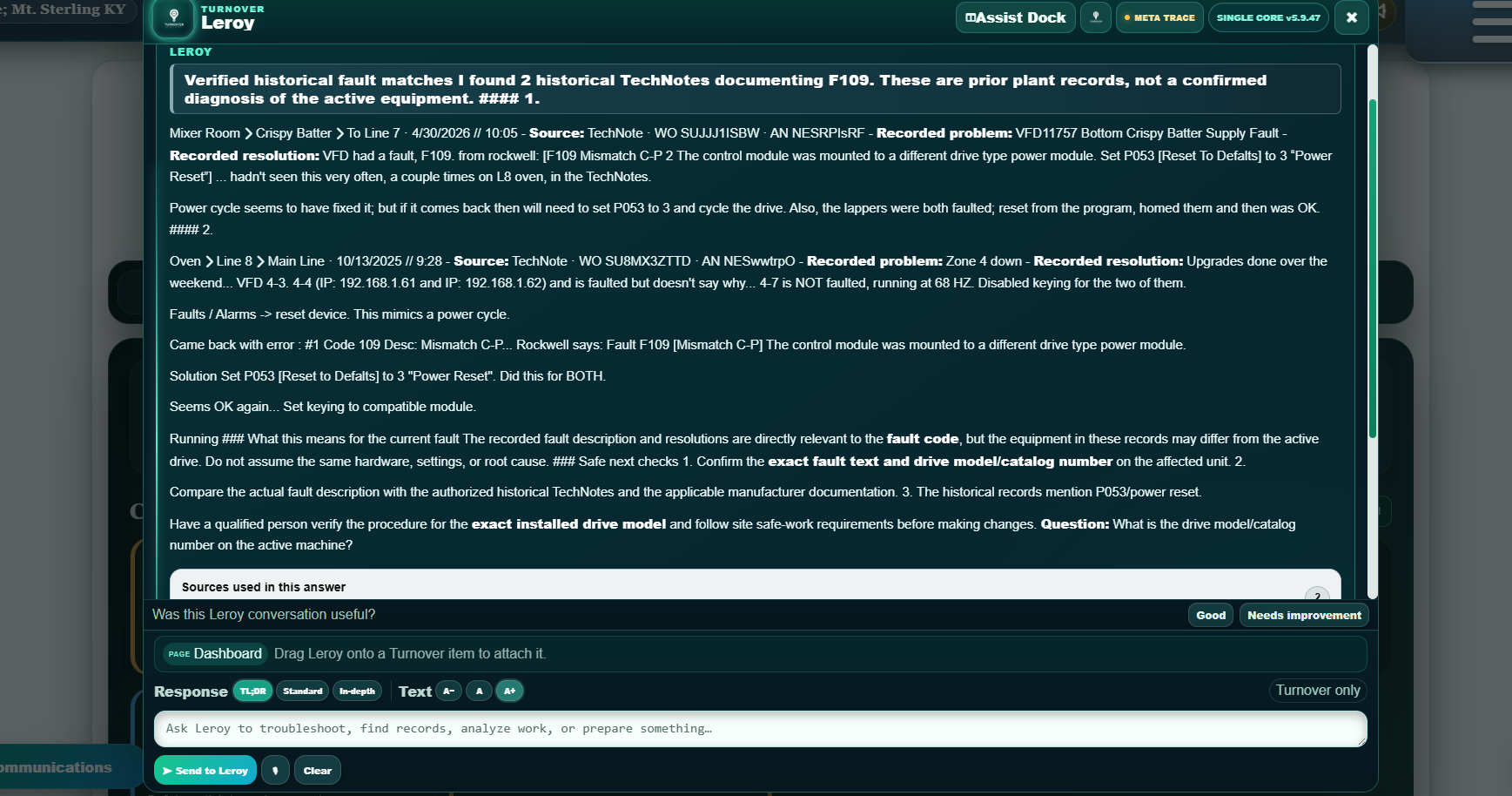
Follow one technical issue from the live board through investigation, guided closure, the saved TechNote and program-wide technical history.
Real Turnover screens with a sample troubleshooting case. Charts use separate aggregate records.
Equipment context, priority and owner stay together with the developing Technical LiveNote.
Technical LiveNote · active fault.
The takeaway: the technical record can be useful before, during and after an incident. Historical charts illustrate reporting, not a claimed reduction in downtime. The synchronization screenshot shows a manual sync and reminder cadence, not automatic sync.
Availability depends on the selected program modules, the program configuration, and assigned permissions.
Keep active issues visible, close them with useful responses, and search the retained history.
Separate production context and handoffs from managed follow-up work.
Connect equipment context, review saved activity, and notify people who opted into supported events.
Turnover Core keeps the daily work and organizational knowledge connected. Turnover Intelligence sits on top of that same Program instead of creating a detached AI system.
Turnover Intelligence combines Leroy, Auto Jobs, advanced TurnBase context, and Turnover-curated knowledge resources. Leroy's reasoning and retrieval method is proprietary and built in-house to prioritize speed while preserving evidence, scope, and authority boundaries.
Leroy can work across authorized Program evidence, retrieve exact records, interpret intent, account for the user's role, and prepare useful answers or reports while keeping the underlying evidence visible.
Auto Jobs are not limited to TurnBase. They can watch supported records and workflows, evaluate customer-defined conditions, prepare recurring work, and notify designated people when configured triggers are met.
Core users can capture, search, and export authorized TurnBase content. Intelligence adds relevant-source selection, richer Context Packets, cross-record context, and direct use by Leroy.
Use a shared import library of reusable aliases, terminology, templates, reference indexes, industry starter resources, and manuals or technical material Turnover has the right to redistribute.
Supported Auto Jobs and notification rules can evaluate tens of thousands of possible custom trigger combinations so customers can define what deserves attention instead of relying on a fixed alert list.
Intelligence does not silently verify, delete, approve, export, or rewrite authoritative Program records. Existing Turnover workflows and authorized people own those actions.
Local Admin controls, selected modules, special-area permissions, reviewer authorization, and the limited External Contributor workspace help match access to the job.
Approved accounts can access the program areas assigned to them.
Designated administrators manage supported access and permission workflows.
Approved contractors can submit configured work records without normal access to protected internal modules.
Start with Core, then configure supported features and access for the team. Add Intelligence only when its capabilities make sense.
Small teams can make Turnover their main connected industrial work and knowledge system. Established plants can run it alongside existing CMMS, ERP, MES, historian, document, and work-order systems. Customers that want consolidation can scope an assisted migration path.
Turnover Team provides the direct starting path for straightforward smaller deployments. Plants and complex rollouts can use a guided path for implementation, migration, governance, security, and integration planning.
Start with one team: Founding Core from $75/month for 5 users ($15 per user). Intelligence is optional at +$10 per user/month across the whole Program. See pricing and terms.
Review the real workflow, current systems, rollout scope, migration needs, governance, security questions, and implementation plan.