

“It's in the training.” “WHAT TRAINING?”
Answers when work is happening
Make relevant, approved information and history easier to find at the point of work, even when training was incomplete or happened years ago.
Explore operational knowledge →The same fault comes back. The next person should see what the team already tried, what worked, and what still needs doing.
Start with one team and one real workflow. Expand when it makes the work easier.
60-second Finder, no contact details required · 30-day trial, no credit card required · Five-seat subscription minimum
Or explore five ways teams use Turnover ↗If the same fault returns tomorrow, the last fix should be waiting.
Explore real Turnover screens for tracking issues, managing inventory and projects, and keeping useful knowledge. These examples use fictional plant records, so you can see how the software works without signing in.
Follow the steps from reporting an issue to saving what the team learned. These are real Turnover screens with fictional example records. No account needed.
A Technical LiveNote keeps the asset, reported symptom, work notes and next step together while the issue is active.
Screens from Turnover Core, using fictional records to show how the workflow operates.
These are real Turnover screens with fictional records. The examples show related capabilities, not one continuous incident. No login or email required. What is included in Core? · What does Intelligence add?
A technician leaves, a workaround gets buried, or a follow-up changes hands. Valuable context can disappear long before anyone notices. Turnover helps teams retain what was learned while the details are fresh. Start with one issue worth fixing.
Make relevant, approved information and history easier to find at the point of work, even when training was incomplete or happened years ago.
Explore operational knowledge →Bring prior symptoms, checks, findings, and responses into the next troubleshooting situation.
Explore troubleshooting →Link observations, responsibility, next actions, and closeout history so the useful story isn't lost when a status changes.
Explore connected work →One team can capture and reuse its own history. Other departments join when sharing useful context actually helps. Pick a role, see what its work looks like, and evaluate Turnover against real work rather than a generic demo.
Walk through everyday work in Operations, Maintenance, Engineering, or Management. See how each role can begin independently and connect to the right people, records, and follow-up.
Follow an issue from active work to reusable history. See how Core handles the work and where optional Intelligence adds value.
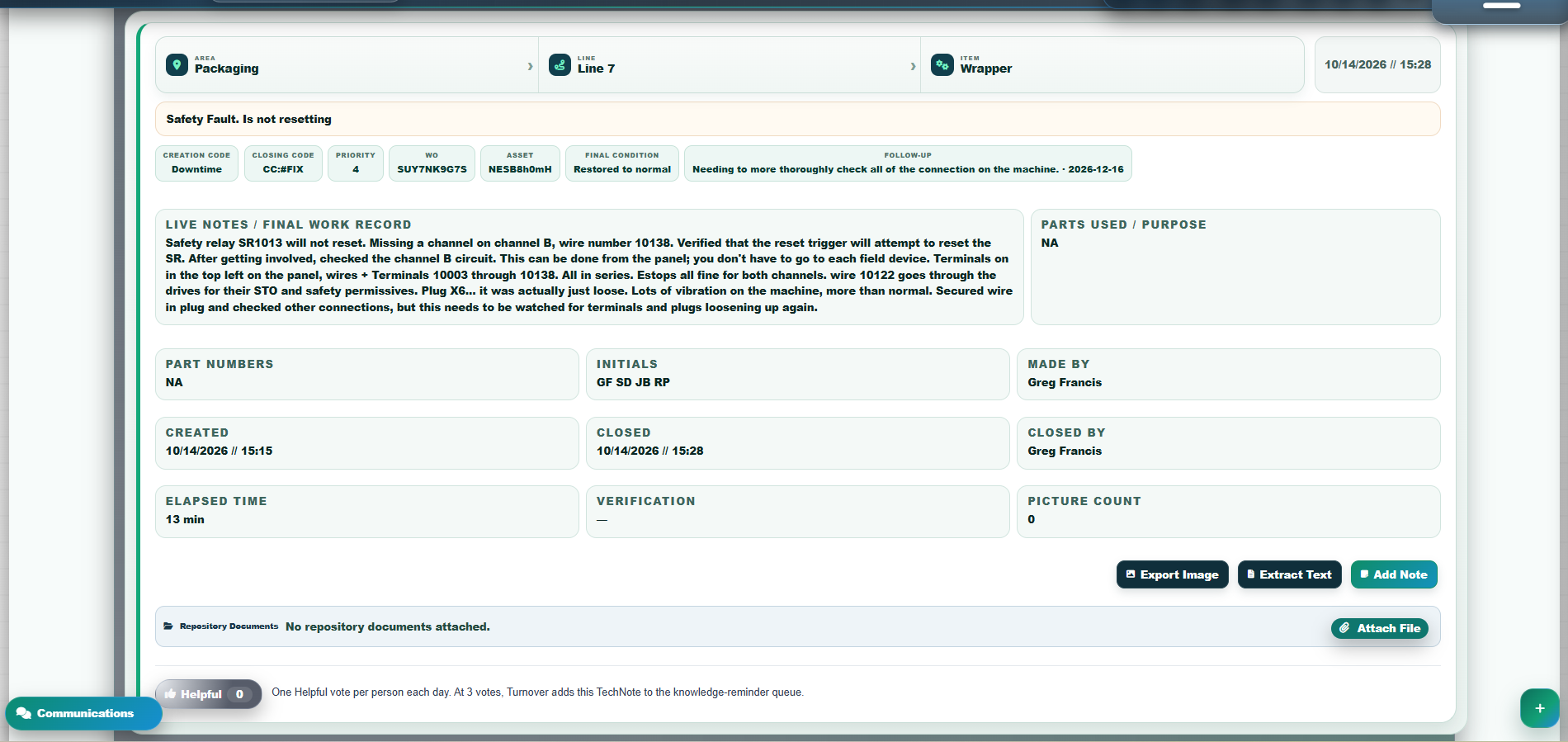
Watch the active fault turn into a structured TechNote with retained findings, equipment context and planned recheck. Five short stages, actual interface screens.
Explore the example and actual screens →Wondering whether Turnover fits your existing systems? Leroy, your public Turnover Guide, can help pressure-test the fit without requiring a full rollout.
No plant-wide conversion project required. Pick the issue you want to improve, measure what happens, and decide from your team's own evidence. The free trial does not require a credit card.
The anonymous 60-second Finder recommends a practical starting workflow.
Find your first workflow →Use the 30-day trial to capture, revisit and evaluate real work before choosing a subscription.
Start free trial →Discuss your current systems, access needs, and a realistic starting scope.
Request a plant demo →Core provides valuable work, capture, collaboration, and history features. Turnover Intelligence is an optional Program-wide add-on. Access is permissioned, and authoritative knowledge changes belong with authorized people. You can maintain your own system without requiring every team to adopt at once.
Founding Core starts at $75/month for 5 users. Add Intelligence for $50/month more at 5 seats, Program-wide. Your free trial starts with Core; Intelligence can be evaluated when enabled for the Program. No credit card required.
Meet the founder and read the evaluation context →
Turnover. Connected + Useable.